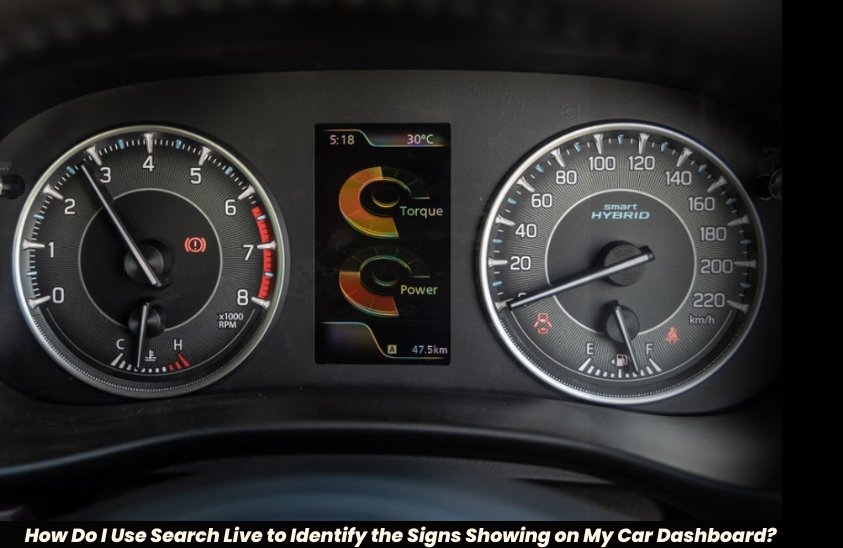
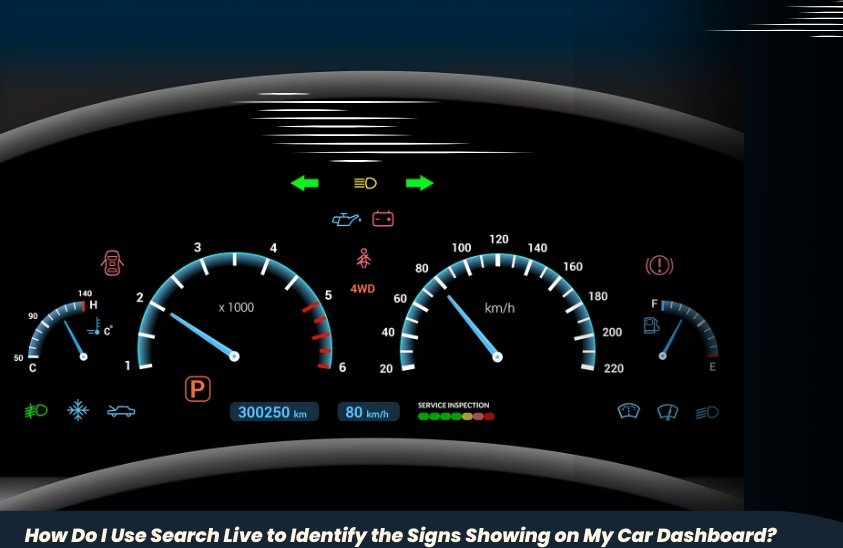
Open Google Lens on your smartphone and tap Search Live. Aim your camera to the dashboard warning lights or dashboard symbols which you wish to identify. The AI-based visual search identifies the dashboard warning signs immediately and gives a clear explanation – the meaning of dashboard icons, the urgency level and the action that should be taken.
When you see a strange amber symbol flicker to life on your dashboard—a shape that was, to all appearances, the shape of an engine silhouette with a small lightning bolt through its middle. No service station in sight. You don’t know anything. Just do a search for “search live” to identify the signs showing on your car dashboard? Now, whether to stop at this moment or go on to the next town.
In less than a moment of presence of mind, if you open the Google application on your phone and search, “How do I use Search Live to identify the signs showing on my car dashboard?” you will get the solution. just turned on Search Live, raised the camera, and pointed it at the dashboard: Electronic Throttle Control Warning—service required, but not an immediate stop situation. With coolness, you can drive to the next city, and there you will have it sorted the next morning.
That four-second response would put a mechanic, a manual, or a fortuitous Google text search on the correct keywords. In 2026, with Search Live, a real-time AI-based visual search engine, created by Google, the equation has flipped. You own a Tata Nexon, a Hyundai Creta, a Honda City, or a Mahindra Scorpio-N: the dashboard of your car speaks a language of symbols. This guide will explain how to use Search Live to crack the code, what the most frequent dashboard warning signs are, when to take action, and when to wait.
What Is Search Live and What Is the Difference Between Search Live and a normal Google Search?
The live camera-based AI search feature, named Search Live, was launched by Google in 2025 but became more widely available with the addition of Search Live to the AI Mode in the Google app. Contrasting a traditional text search, where you enter the query “amber engine light Maruti” and navigate through the search engine to find what you are looking for, Search Live allows you to use your phone camera to point at any object in the real world and get real-time information context and information created by the artificial intelligence system.
The feature is based on the platform of Google Lens, with an additional layer of continuousness and conversation. You do not press a button and wait: the system scans the live view of your camera frame after frame.
In the case of car dashboard warning signs, this difference can be of immense importance. Standardization of dashboard signs is governed by the ISO 2575 standard, though each manufacturer tends to include its own dashboard symbols, brand-specific warning signals, and color differences that even seasoned drivers find perplexing.
A text description such as there is a symbol with a circle and an exclamation mark” can be 12 different warnings. Directly facing the camera towards the symbol, however, the AI can be instantly disambiguated by shape, color, and context.
| Pro Tip: Before firing up Search Live in the parking lot at the side of the road, you want to make sure that your hazard lights are on and your phone is connected to mobile data or a Wi-Fi hotspot. Search Live needs an internet connection in order to provide real-time AI results. |
How Do You Use Search Live to Identify the Signs Showing On Your Car Dashboard?
Step 1 – Update your Google application
Search Live can be found in the Google Android app (15.10 and higher) and in Google iOS app. Open your Play Store or App Store, search Google and make sure that the app is up to date. Whether you are in India and you are on a smartphone that was launched after 2023, that is a Redmi, Samsung Galaxy, OnePlus, Vivo or any other, the Google app will certainly be pre-installed and will update itself regularly.
Step 2—Open Google and Turn on the Camera Search
Start the Google application. There is a small camera icon (Google Lens icon) on the right-hand side of the main search bar. Tap it. This is what makes the visual search view. The new AI Mode now displays an option at the bottom of the screen, either “Search Live” or “Live”—tap this to change to the continuous live scan mode as opposed to still-photo mode. Your camera feed will now be streamed with an active AI overlay on the screen.
Step 3—Aim the Camera at the Dashboard Warning Symbol
Keep your phone tilted or in a natural position towards your dashboard so that the warning symbol can easily be seen on the screen. Lighting is important than many users may think, darkly lit cabin at night may decrease the accuracy of symbol recognition. Flashlight your phone or turn up your dashboard a bit before scanning. The AI will work on the live frame and provide a text overlay or side panel with the name of the symbol, its meaning, the level of urgency, and recommended course of action in two to five seconds.
Step 4 — Call Re-follow with Voice or Text Question
After the Search Live recognizes the symbol, you are given an opportunity to pose a follow up question in either the voice or text query right on the interface on the AI Mode. As an illustration, having received a Tyre Pressure Monitoring System (TPMS) warning on a Hyundai Creta, you may ask: Can I drive 10km with this or What is the recommended tyre pressure in my car? The AI will give context-related advice. It is this conversation layer that makes Search Live more than a mere image search.
Step 5 – Save or Screen shot the Result to Your Mechanic
The most sensible thing that experienced Indian drivers have developed is taking the screenshot of the Search live result and then going to a service station. This eliminates the chances of a non-technical driver and a workshop technician being miscommunicated. Having a screenshot of a message stating P0420 Catalyst System Efficiency Below Threshold – Bank 1 will save time and upselling and will make sure you are discussing the real issue and not a guess.
pro tip: When a red warning light appears, especially regarding oil pressure, coolant temperature or brake system, no need to delay scanning. The red lights in nearly all car brands are a signifier of conditions that may lead to irreparable engine or braking damages in just a few minutes of constant driving.
Car Dashboard Symbols: Indian Drivers’ Car Dashboard Meanings
The table below discusses the top twelve dashboard warning signs that are observed in most Indian car models such as the Maruti Suzuki Swift, Tata Punch, Hyundai Venue, Kia Seltos, Mahindra XUV700, and Honda Elevate. Signals on the dashboard that indicate the health of your car are color-coded warning lights: a red light will warn you to stop or take immediate action, a yellow/orange (amber) light will warn you of a need of caution or service, and a green or blue light will inform you.
| Symbol / Light | Colour | What It Indicates | Urgency Level |
| Engine Check (MIL) | Amber / Red | Engine fault – sensor, emission, or ignition issue | High—visit workshop soon |
| Oil Pressure Warning | Red | Low oil pressure – engine lubrication critical | Immediate – stop car |
| Battery / Charging | Red | Charging system failure or weak battery | High – drive to nearest service |
| Coolant Temperature | Red | Engine overheating, coolant level low | Immediate – stop and cool down |
| Tyre Pressure (TPMS) | Amber | One or more tyres under-inflated | Medium – check pressure soon |
| ABS Warning | Amber | Anti-lock brake system fault | High – brake carefully |
| Airbag / SRS Warning | Amber | Supplemental restraint system fault | High – visit workshop |
| Fuel Level Low | Amber / Red | Fuel reserve is critically low | Low – refuel immediately |
| Door Ajar | Amber | One or more doors not fully shut | Low – check before driving |
| Seatbelt Reminder | Red | Driver or passenger not buckled | Immediate – buckle up |
| Power Steering | Amber | Electric power steering assist fault | Medium – increased effort to steer |
| Brake System | Red | Brake fluid low or handbrake engaged | Immediate – check before moving |
One thing that needs to be reiterated as far as Indian road conditions are concerned and that is the Tyre Pressure Monitoring System Warning: it is particularly common during the summer season when tarmac temperatures in a city such as Chennai, Hyderabad and Nagpur could change the tyre pressure by three to five PSI in a single drive. When the TPMS light comes on this does not always indicate puncture- physically examine all four tires or at the closest petrol station air pump before making a final assumption.
Google Lens vs. Search Live vs. OBD-II Apps: Which Tool Solves What?
In 2026, Indian drivers can use a layered toolkit to get insights on the health of their vehicle. The predecessor to Search Live is Google Lens, which is effective at taking a still image of a symbol and getting a visual match of search results. Search Live goes a step further and keeps an unending stream and overlays AI-generated explanations on top of it, no need to tap and capture.
At the other end of the range, OBD-II scanner programs, linked to a Bluetooth dongle (for ₹800 to ₹5,000 on Amazon India) can give you fault codes read out by your car engine control unit, which can be useful at a garage but needs a technical decoder. Search Live is the quickest and most convenient starting point to the average driver who is faced with an unknown symbol at the road side.
| Feature | Google Search Live | Google Lens | OBD-II Scanner App | Car Manual (PDF) |
| Live Camera Scan | Yes | Yes | No | No |
| Real-Time AI Explanation | Yes (AI Mode) | Partial | No | No |
| Identifies Dashboard Symbols | Yes | Yes | No—reads OBD codes only | Yes, static lookup |
| Requires Internet | Yes | Yes | No (Bluetooth) | No (offline PDF) |
| Cost | Free | Free | ₹800–₹5,000 (dongle) | Free (if downloaded) |
| Suitable for Non-Technical Users | Excellent | Very Good | Moderate | Poor |
| Works Across Car Brands | Yes | Yes | Limited by protocol | No—car-specific |
| Voice Query Support | Yes (Search Live) | No | No | No |
| Best For | On-the-spot identification | Scanning physical symbols | Garage diagnostics | Deep reference reading |
| 💡 Pro Tip: As a car owner with a brand-new car make sure to download your owner manual as a PDF file on the official website of your car maker. Save it in Google Drive to enable you to access it offline. The first responder is search live, the authority document is the owner manual. |
Real-life situations in which Search Live comes to the rescue
Scenario 1: Tata Nexon EV Battery Warning
The appearance of a red battery-like figure on the dashboard of his Tata Nexon EV was the notice of a software professional who travels from Whitefield to MG Road in Bengaluru, which stood in stark contrast to the green charging icon. Not knowing this was a high-voltage pack problem or a low 12V auxiliary battery problem, two very different problems that require two very different solutions, he searched on Search Live as he waited at a signal.
The AI recognized the symbol as a 12V auxiliary battery warning, and not the high-voltage pack, and advised paying a visit to a Tata Motors authorised service center within 48 hours. He was able to drive to work safely, and he even made a service appointment in the afternoon.
Scenario 2: The situation with Maruti Suzuki Swift VSA Light Confusion
One of the homemakers in Pune noticed a symbol in her Maruti Suzuki Swift which looked like a car having squiggly lines under it – the Vehicle Stability Assist warning. She did not know whether this implied the fact that her car was going to skid or it had started malfunctioning, but the first thing that she did was to start Search Live.
The outcome elucidated the fact that the VSA symbol that was a stationary light (not blinking) meant that the system had been turned off, and not faulty. Her children had inadvertently hit the VSA OFF button on the centre console. She turned it on once again and went on her way without any more panics and visits to the workshop.
Scenario 3: An Expressway Emission Warning of the Honda City
A top executive of a major company on the Mumbai-Pune Expressway found himself in a situation where the amber Malfunction Indicator Lamp; the dreaded check engine light that is universally feared, slowly glowed as he was driving a Honda City.
When parked in an emergency bay he used search live and compared the unmoving amber light (instead of a flashing light) and was directed that a steady MIL normally indicated a stored fault code relating to emissions, and a flashing MIL indicated a fault of active engine misfiring that needed to be stopped immediately. He drove to Pune and got the fault code read at a Honda service center—it was a loose EVAP hose, not a big deal and only required less than 500 dollars.
Practical Action Guide: After Recognize the Red Flag
The first half of the solution is to identify a dashboard symbol. The triage of the action that the Indian drivers should follow should be based on color. In case there is a red light, one should always slow down gradually, park somewhere safe, switch off the engine, and call roadside assistance or a reliable mechanic. Do not restart driving a car with a red oil pressure or coolant temperature alert on it; the cost of towing is meaningless when compared to the price of a taken engine.
Amber lights have more flexibility but should not be overlooked after a reasonable period of time. Industry recommendations—uniform throughout Maruti Suzuki, Hyundai, and Tata service advisories—are to make an appointment to visit a workshop after 48 to 72 hours of an amber warning. Informational lights are blue and green and usually show active systems like cruise control, high beams, or four-wheel drive on. These need to be aware, not alarmed.
A common aspect that is often ignored is that one should reset a warning light after fixing the underlying problem. Most lights automatically reset after the fault has been cleared, but others (especially the check engine light and TPMS warning) will have to be manually reset via the car settings menu or an OBD-II scanner. Search Live, once a symbol is found, might offer this reset operation as part of its AI reply, avoiding an unnecessary trip to the dealership.
Search Live Limitations: You Should Know Before Using It
Search Live is an effective first-response system with its own set of limitations that all drivers ought to be aware of. This system is most accurate with those symbols that adhere to the ISO 2575 standards, the global standard of automotive warning symbols.
Nevertheless, certain older Indian-made cars in the early 2010s and certain commercial vehicles produced with the Indian market in mind have non-standard or hybrid symbols that might not be exactly reflected in the training data of the AI.
In these instances, Search Live might give out a likely match with a confidence qualifier instead of a sure response.
The lack of light is a regular problem. The symbols on the dashboard, captured by a photograph, may give incorrect or incomplete results due to the glare of direct sunlight or unusual angles or due to a very reflective instrument cluster.
The answer is easy: hand-cover the dashboard to minimize glare or take a picture of the symbol in a darker place prior to using Search Live.
Moreover, Search Live demands an active internet connection, which is also an obvious limitation in rural highways where 4G coverage is still unreliable in states such as Rajasthan, Jharkhand, and the Northeast. This gap can be taken care of by downloading the owner manual of your car in PDF format beforehand.
Conclusion
The main form of communication in your vehicle is the car dashboard. Each lit-up symbol is a piece of data, either requesting your focus or a notification of the status of the system or an emergency request. It took decades to decode that language, and it had to be either technically known or owned or trusted by a mechanic.
In 2026, Search Live fills that gap in a matter of seconds. The mash-up of Google Live View AI, a reliable internet connection, and the steps on the ground discussed in this guide will allow every driver in India (driving a flyover in Mumbai or the Leh-Manali highway) to react (intelligently, as well as safely) to whatever is displayed on his/her dashboard and you will find the answer to this question: How Do I Use Search Live To Identify The Signs Shown?
The following time a new symbol appears on your instrument cluster, do not panic or guess. Safely pull over, open your Google application, enable Live Search, point your camera, and get reading the answer that your car has been looking to provide you with.
Also, Read About –
Kia Stonic: Price, Variants, Mileage, Top Speed, Interior, Colours, Specs, Competitors and More